AMBOSS for Premiere ProCut faster.
Stay in control.
AMBOSS for Premiere Pro is an AI editing assistant for Mac. It takes care of the rough cut, slips, zooms, J-cuts and captions right in your timeline. The AI suggests, you decide every step.
- Premiere Prono new tool
- You decideevery step reviewable
- Mac · Apple SiliconM1 or newer
- AI includedno AI account needed
The problem
Your videos
eat your time.
Mostly on busywork.
Every video means the same thing: trim pauses, hunt for slips, place zooms. Over and over again.
That busywork eats the time that should go into story and quality.
With client videos, every single step has to land. You want to see what happens.
This is AMBOSS taking exactly that busywork off your plate, right inside Premiere. All that is left for you is checking what stays.
One note: the videos on this page show the German interface.
How the plugin works
AI is not perfect.
That's why you always decide.
AI saves you a huge amount of time, but only if you stay in control. With the Premiere plugin the AI suggests and you decide. Your style stays yours.
The AI looks at everything.
AMBOSS finds pauses, stumbles and takes that didn't land in your video and suggests what can go.
You review and approve.
You see every suggestion and can adjust or discard it. Nothing lands in your video that you didn't approve.
Your editing software stays.
No new software, nothing to relearn. AMBOSS runs right inside Premiere Pro, where you already work.
Speed from the AI. Quality from you.
Features
Everything the plugin
takes care of.
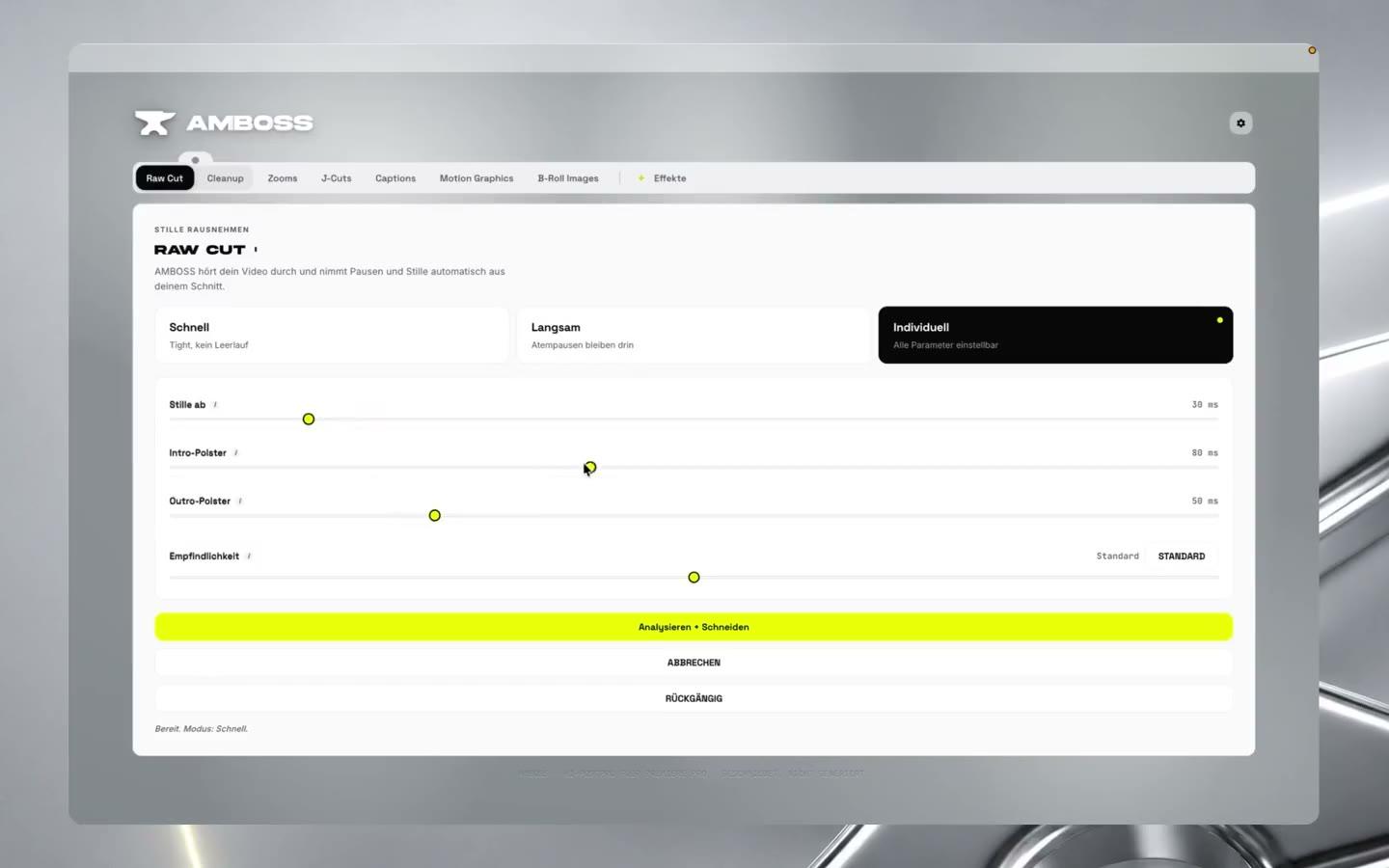 01
Raw cut
Pauses and dead air out, a clean first cut.
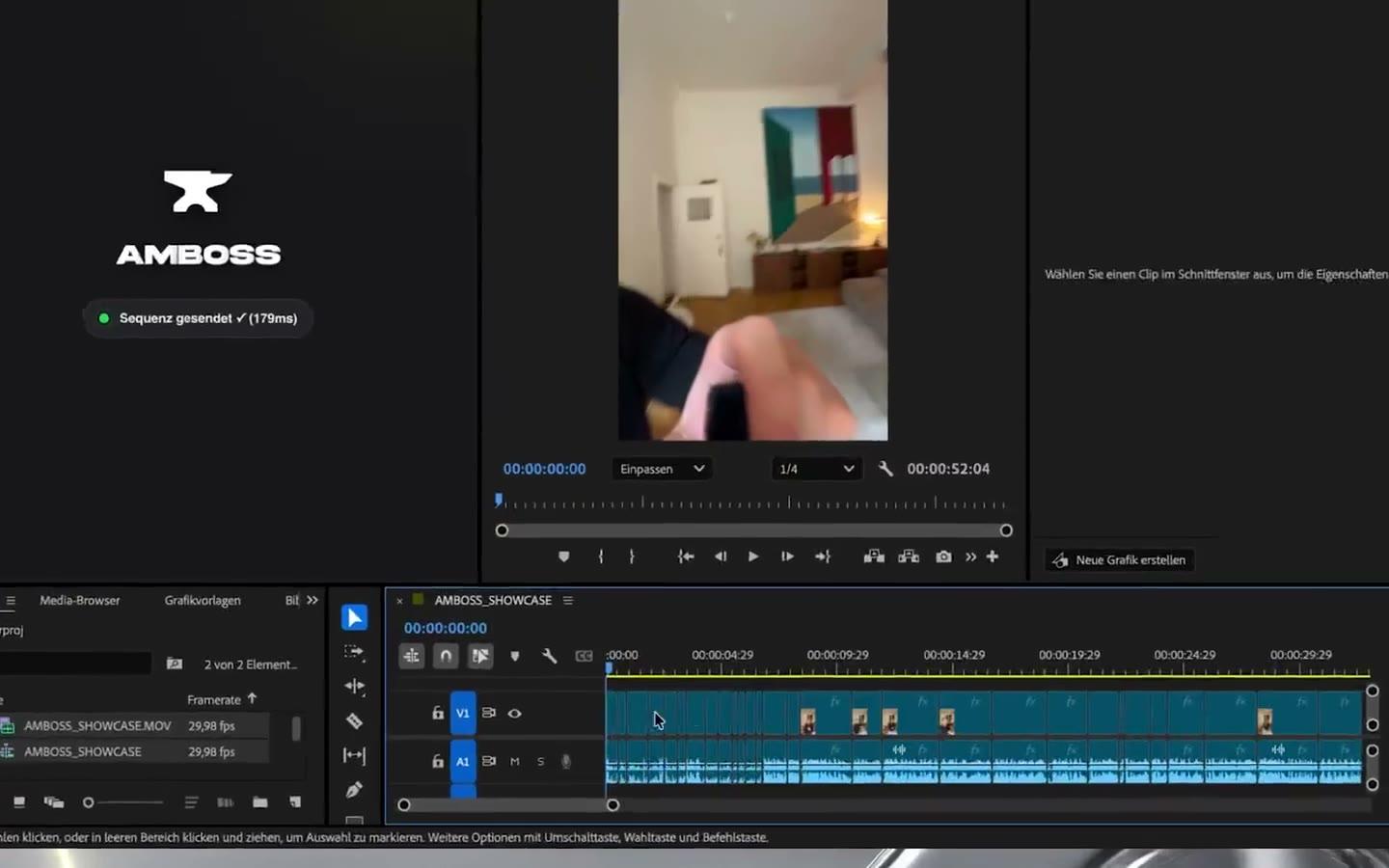 02
Cleanup
Slips and repeated takes flagged, you approve.
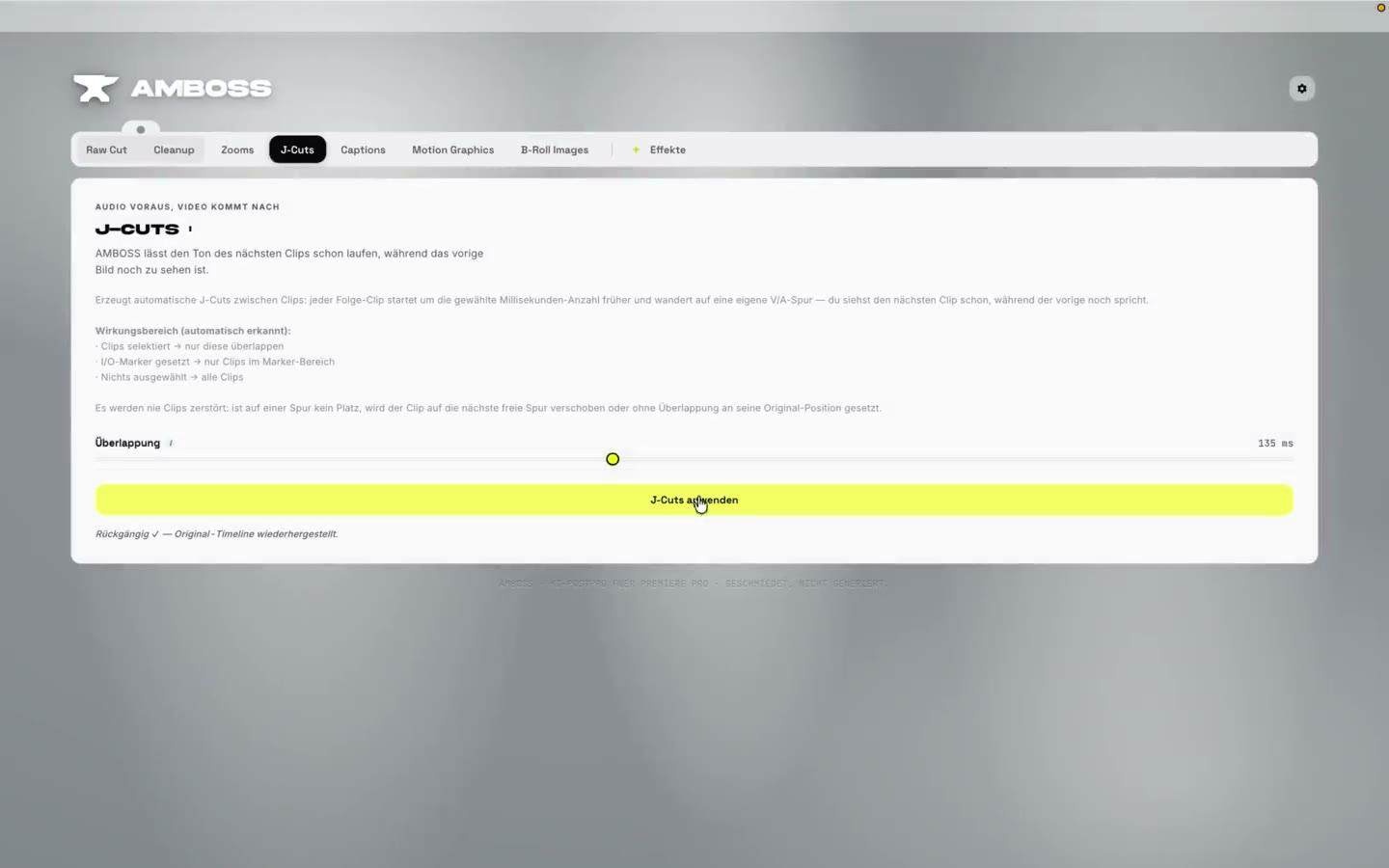 03
J-cuts
Smooth transitions, with the audio leading in.
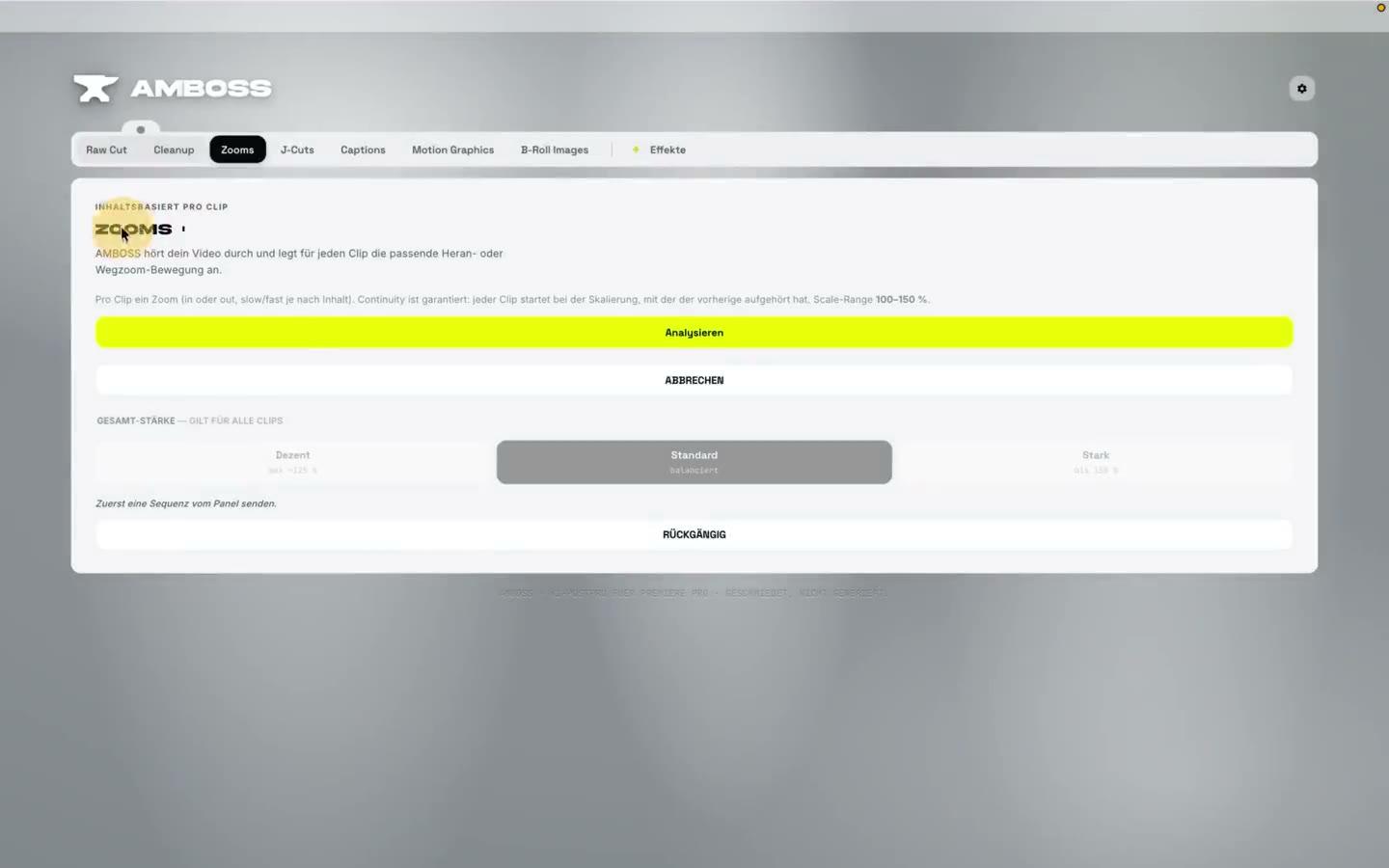 04
Smart zooms
Zooms that match pace and mood.
 05
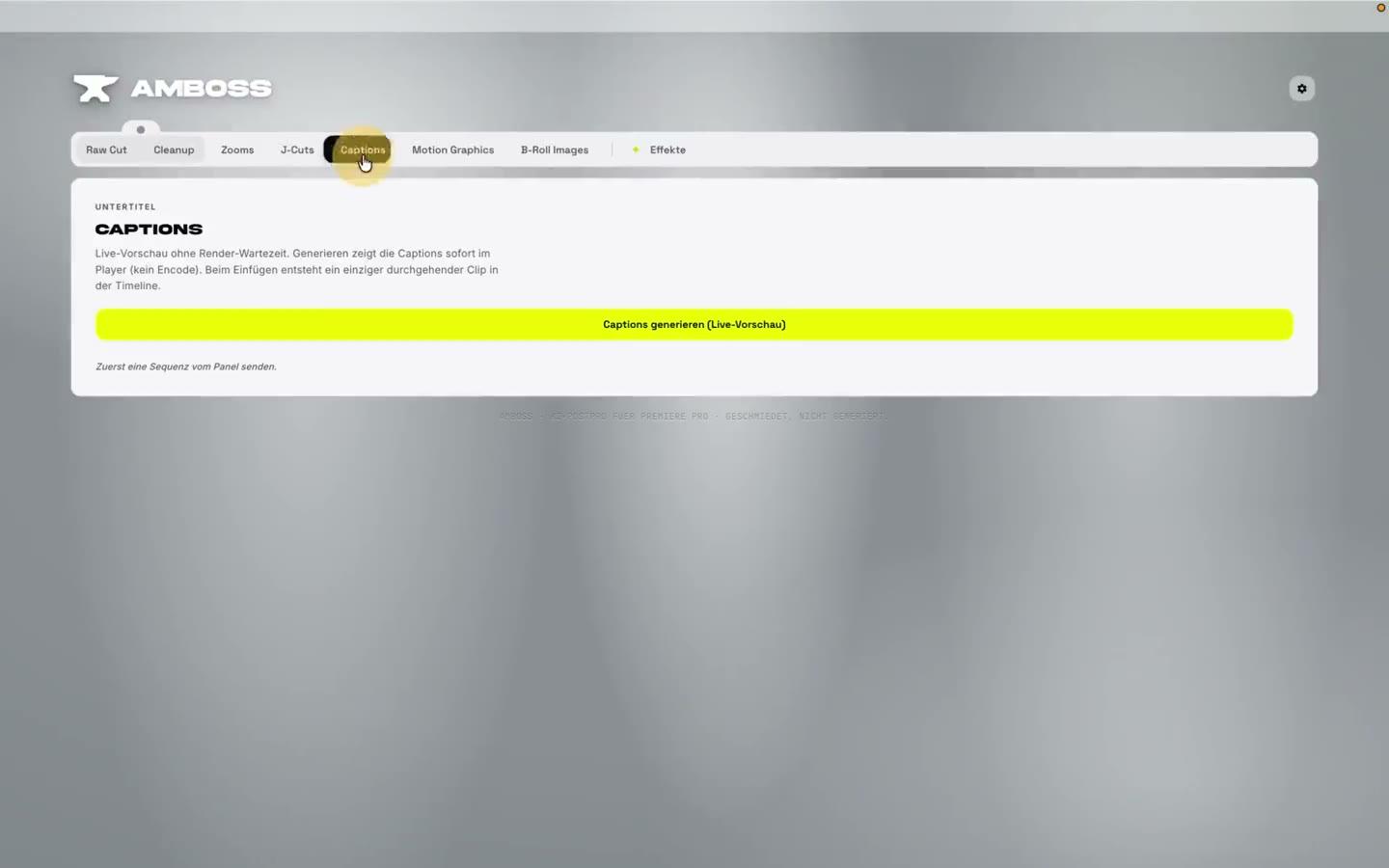
Captions
Word-for-word captions in ready-made styles.
 06
Motion graphics
Animated graphics for what is being said.
Being early
pays off.
Full feature set in every plan and unlimited editing. The only difference is how many tokens a month are included for motion graphics, AI videos and images. Solo & Pro for individual editors, Teams for agencies with several seats and an owner dashboard.
- Full feature set in every plan
- Rough cut, cleanup, zooms, captions
- Motion design, Transform & B-roll
- Cancel any time
Solo
(incl. VAT)
Payment method required, nothing is charged during the trial. If you don't cancel before it ends, the Solo plan starts automatically (€49/month). Cancel any time at amboss-app.de/en/subscription.
For everyone who edits their own videos regularly.
- Full feature set in every plan
- Rough cut, cleanup, zooms, captions
- Motion design, Transform & B-roll
- Cancel any time
Pro
(incl. VAT)
For power users with high volume. More tokens every month.
- Full feature set in every plan
- Rough cut, cleanup, zooms, captions
- Motion design, Transform & B-roll
- Cancel any time
All of the AI runs through AMBOSS. You need no AI account and no keys of your own. Editing is unlimited in every plan; you only need tokens for motion graphics, AI videos and images. Auto top-up (Solo & Pro): 2,000 tokens for €30 (incl. VAT) when you run out. You set your own monthly limit.
After the purchase your access arrives automatically by email. Download the app here.
Requirements: a Mac with Apple Silicon (M1 or newer) and Adobe Premiere Pro (2023 / v23 or newer).
All prices incl. VAT.
For teams
For teams and agencies.
Several seats, one invoice.
Everyone on the team gets their own seat with 2,000 tokens a month. You manage everything in the owner dashboard. €49 per seat per month (incl. VAT), from 2 seats.
- Owner dashboard: invite and manage seats yourself
- Licence keys straight to your team
- One invoice, cancel monthly
- Priority support
Lots of client videos and no time to edit?AMBOSS OneShot for agencies
Download and installation
Ready to go
in three steps.
Download the app
Download AMBOSS for Mac. The app is signed and notarised by Apple.
Enter your licence key
You get the key automatically by email after you buy or start your trial.
Connect in Premiere Pro
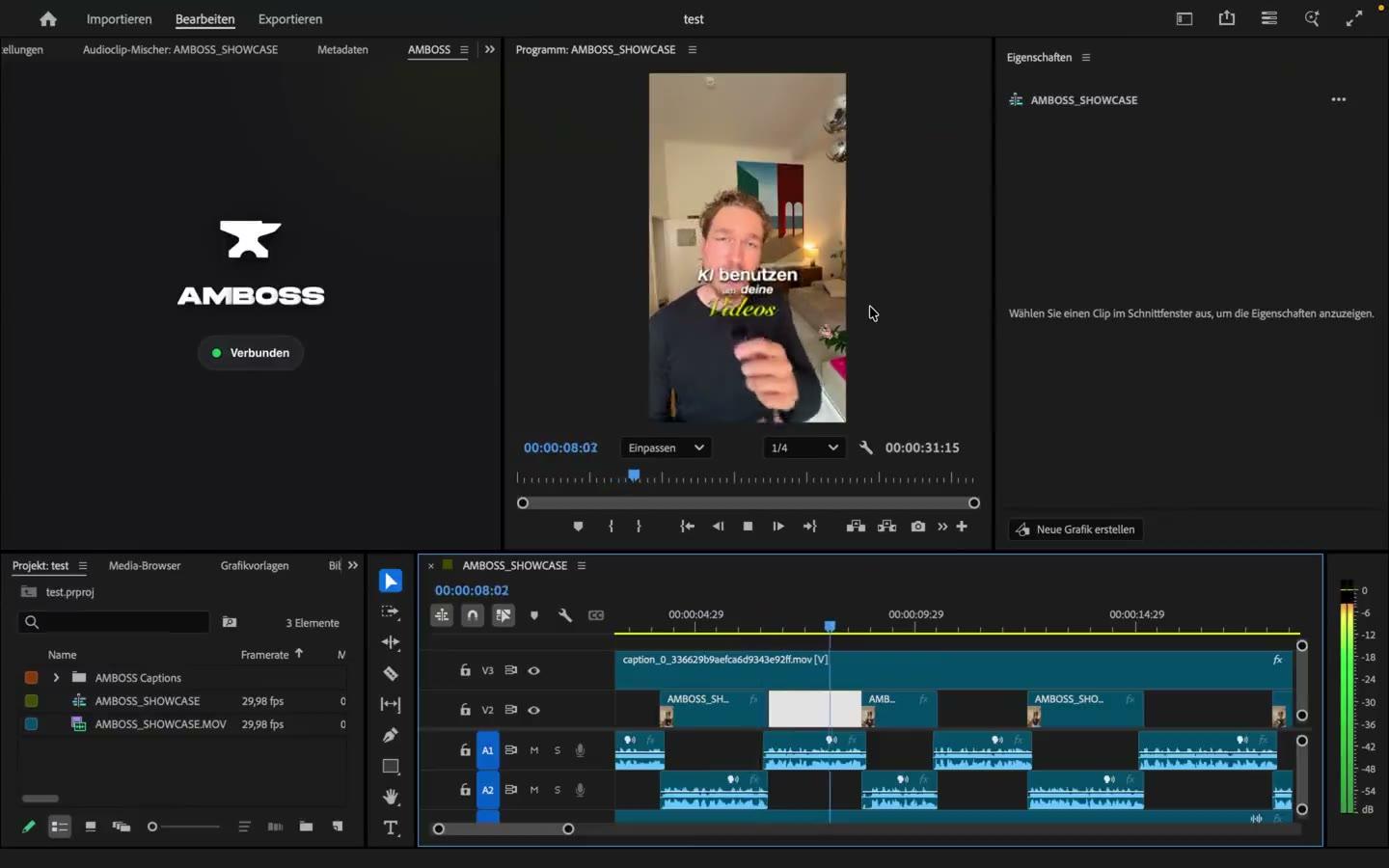
In Premiere, open Window → Extensions → AMBOSS. The panel connects as soon as a sequence is open.
Requirements: a Mac with Apple Silicon (M1 or newer) and Adobe Premiere Pro 2023 (version 23) or newer.
FAQ
Common questions about the Premiere plugin
What do I need to use AMBOSS?
Two things:
- A Mac with an Apple chip (M1 or newer) and Adobe Premiere Pro (2023 / version 23 or newer) or DaVinci Resolve 21 or newer (free or Studio).
- An AMBOSS licence — the licence key arrives by email automatically after your purchase.
You do not need your own AI accounts or API keys — the entire AI runs through AMBOSS.
Is there a free trial?
Yes — you can try the Solo plan free for 3 days. You add a payment method, but nothing is charged during the trial. You can cancel any time before it ends at amboss-app.de/en/subscription and nothing will be billed. If you do not cancel, the trial rolls over into the Solo subscription (€49/month) automatically.
What is the difference between Solo and Pro?
Both plans have the exact same feature set, and editing is unlimited. The only difference is the tokens included each month: Solo 2,000 tokens a month; Pro 6,000 tokens a month. The existing motion graphics templates stay unlimited in your plan. You can move from Solo to Pro later at any time — just drop us a line.
Do I need my own AI account or API key?
No. The entire AI runs through AMBOSS — both the edit analysis and the AI video generation. There is no account to create anywhere and no keys to set up. Enter your licence key and you are done.
Does AMBOSS change my timeline without me knowing?
No. AMBOSS suggests, you decide. Every step (rough cut, cleanup, zooms …) is shown to you first, and every applied step can be undone — the app creates a restore point before each change.
How do I cancel my subscription?
Any time without logging in at amboss-app.de/en/cancel or in your subscription portal at amboss-app.de/en/subscription (enter your licence key). The subscription can be cancelled to the end of the period you paid for; until then your access continues and then ends automatically. You get a confirmation by email right away.
Bought before we switched payment providers? Then you still manage your subscription at Whop: whop.com/orders (log in with the email address you bought with → pick your membership → "Cancel membership"). Cancelling also works via amboss-app.de/en/cancel.
Less busywork.
More quality.
AMBOSS takes the busywork out of editing, right inside Premiere Pro. You keep control over every step and your style stays yours.
No Premiere Pro or no time to edit? AMBOSS OneShot edits for you